Keap Review: The Full Breakdown for Small Business Owners
Keap (formerly Infusionsoft) is an all-in-one CRM, marketing automation, and payments platform built specifically for small businesses. Over 200,000 businesses have used it since 2001. But at $299/month to start, is it worth the investment? We tested every feature and break it all down here.
Spratt Enterprise Editorial Team
Software reviewed and tested independently
Our Verdict
Keap delivers a genuinely all-in-one experience for service-based small businesses. The automation builder is one of the best we have seen at this level, and having CRM, email marketing, appointments, invoicing, and payments in one platform saves you from juggling multiple tools. The downside is the price. At $299/month minimum with a required implementation fee, it is a serious investment for very small teams.
Best for: Service-based small businesses (coaches, consultants, agencies, contractors) with 5-50 employees who want CRM, marketing automation, and invoicing in one platform.
What Is Keap?
Keap is a CRM and marketing automation platform that has been around since 2001, originally under the name Infusionsoft. They rebranded to Keap to better reflect their focus on small business simplicity, though the core product has always been about combining contact management, email marketing, sales pipelines, and payment processing into one system.
The idea behind Keap is straightforward: instead of paying for a CRM, an email marketing tool, a scheduling tool, an invoicing tool, and a payment processor separately, you get all of that in one place. For service-based businesses like coaches, consultants, agencies, and contractors, this can simplify operations significantly.
In this Keap review, we go through every major feature, the pricing structure, and how it stacks up against alternatives like HubSpot, HoneyBook, and Dubsado. If you are evaluating CRM and sales tools, this will help you decide if Keap fits your business.
Key Features
CRM and Contact Management
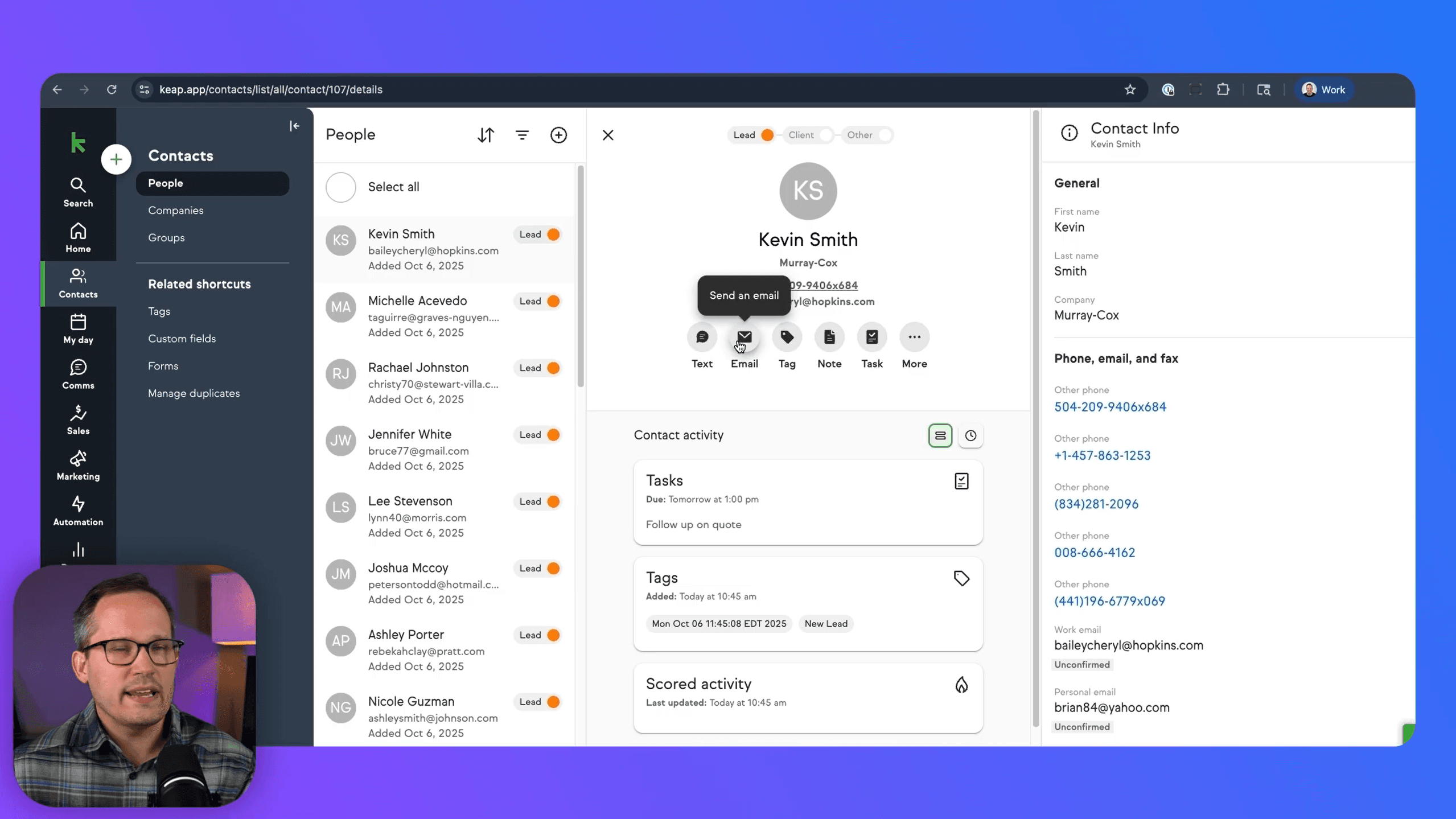
Keap's CRM stores all your contacts, leads, and customer information in one place. Each contact record shows a full activity timeline including emails sent, texts, appointments, invoices, and notes. You can send emails and text messages directly from within a contact record, and everything stays logged in one view.
One limitation worth noting: the contact list view is more limited than most CRMs. You cannot customize columns to show properties like company name or industry from the main list. It feels optimized for mobile rather than desktop use. Once you click into an individual contact, the detail view is solid, but the list view could be better.
Automation Builder
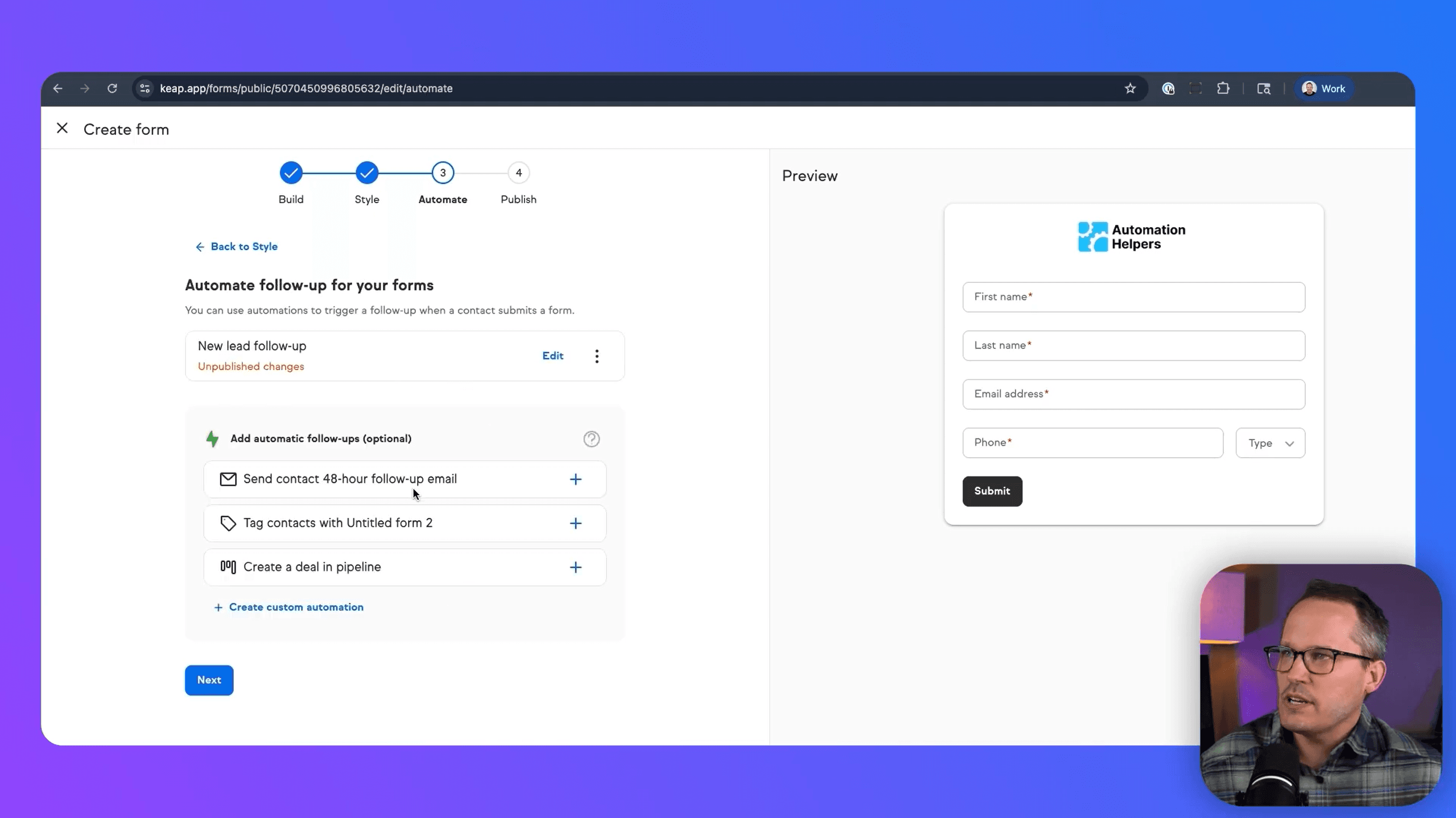
This is Keap's strongest feature and one of the best automation builders we have seen for small business platforms. What makes it stand out is that Keap gives you two levels of automation:
- Easy Automations are simple trigger-and-action workflows. Something happens (form submitted, appointment booked) and Keap does something in response (sends an email, creates a deal, sends a notification). Perfect for businesses that are new to automation.
- Advanced Automations give you a full visual canvas with branching logic, multiple triggers, conditions, and a wide range of actions. You can build complex multi-step workflows that rival platforms costing much more.
Keap includes 52+ pre-built automation templates so you do not have to start from scratch. This dual approach means beginners are not overwhelmed and power users are not limited.
Sales Pipeline
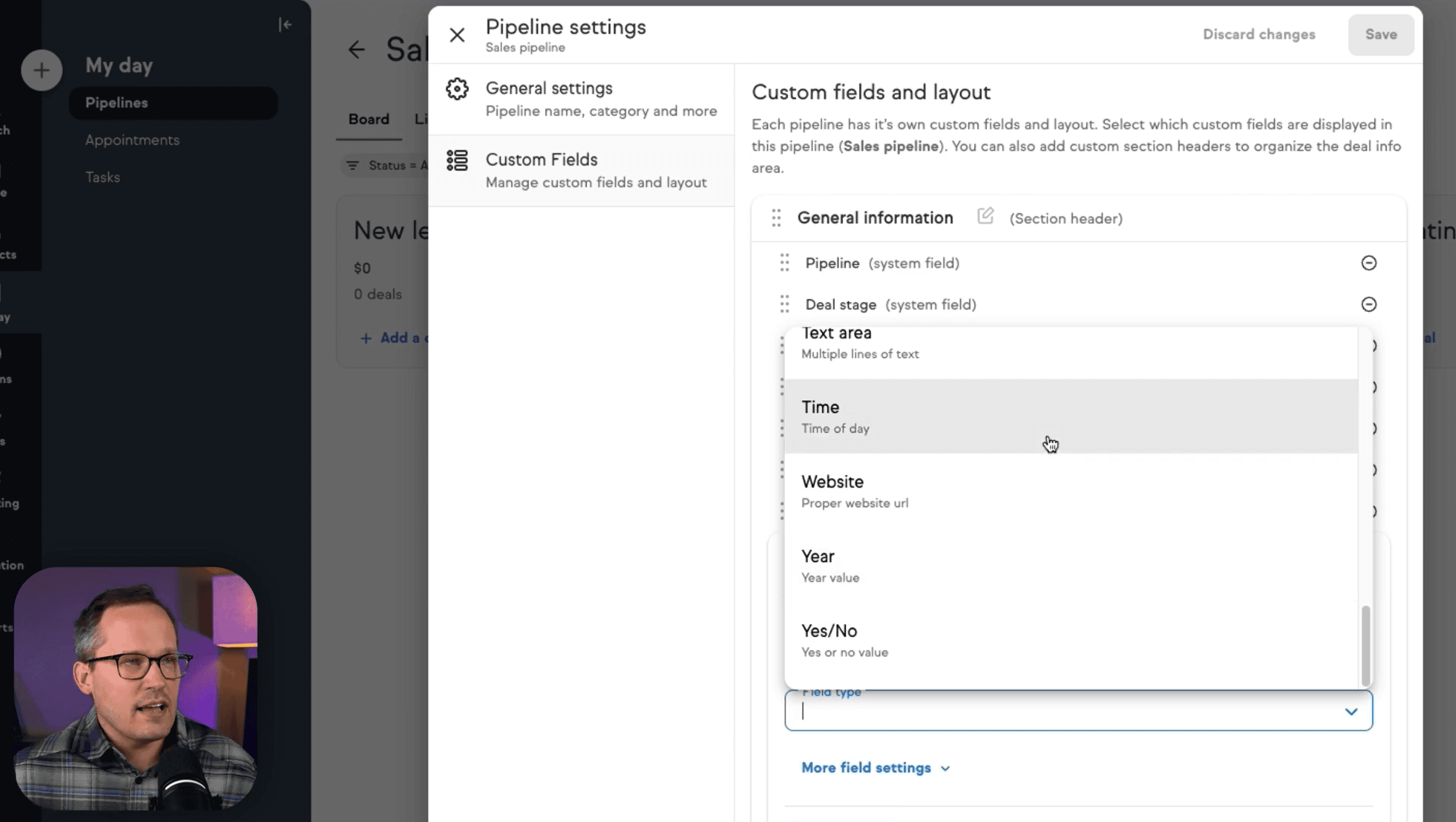
Keap includes a visual Kanban-style pipeline for managing deals. You can create multiple pipelines with custom stages, add deals quickly, and move them through your sales process. Deals can be converted to quotes and then to invoices directly within the system.
You can also automate pipeline stages so that when a deal moves to a certain stage, it triggers emails, tasks, or other actions automatically. The pipeline is functional but more basic than dedicated sales tools like Pipedrive or Close.
Email Marketing
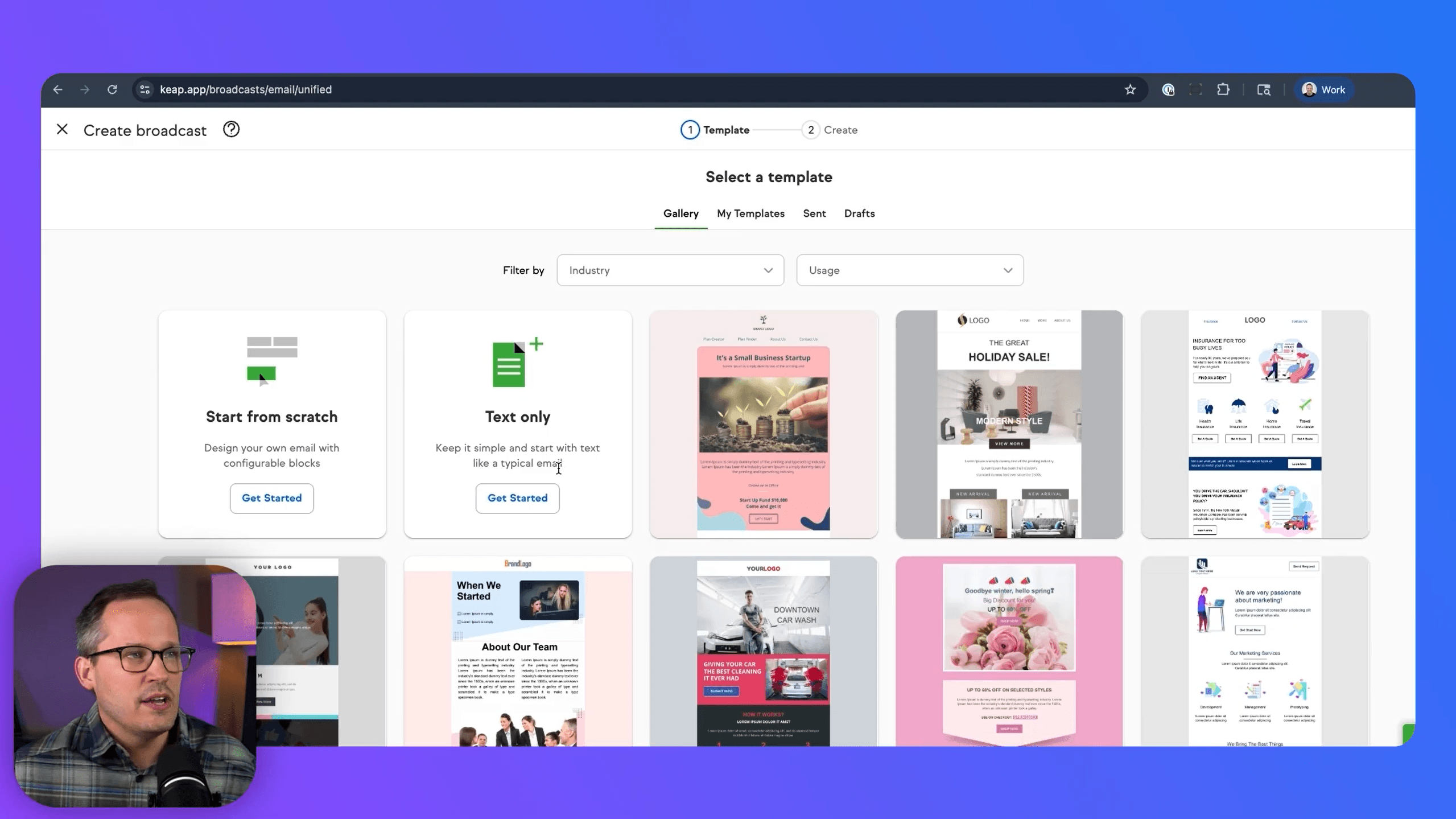
Keap has a drag-and-drop email builder with templates for both marketing broadcasts and sales emails. You can create branded email campaigns, use merge fields for personalization, and schedule sends for specific times. The email builder also includes an AI Content Assistant to help generate copy.
Emails can be sent as one-time broadcasts or triggered automatically through the automation builder. This combination of manual and automated email is one of the reasons Keap works well as an all-in-one: you do not need a separate Mailchimp or ActiveCampaign subscription.
Appointment Scheduling
Built-in scheduling replaces the need for Calendly or Acuity. You can create multiple calendar types (consultations, coaching calls, demos), connect to Google Calendar, set buffer times between appointments, and share booking links with clients.
One gap: there is no built-in option to charge for appointments at the time of booking. Some competing platforms let you attach a payment link to the scheduling page, but Keap does not offer this yet.
Invoicing and Payments
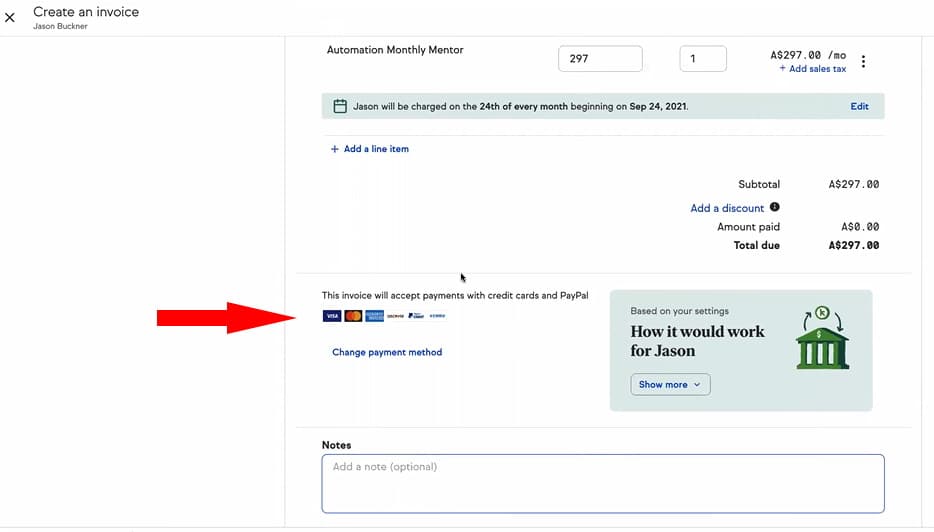
Keap handles invoicing, checkout forms, and recurring payments natively. You can convert quotes to invoices, accept credit cards and PayPal, set up card-on-file billing, and create checkout pages for selling products or services directly from your website.
For service businesses that bill clients monthly (coaches, consultants, agencies), the recurring payment feature is especially valuable. You set the frequency, the amount, and Keap handles the rest. This replaces the need for separate billing tools like FreshBooks or Wave.
Landing Pages and Forms
Keap includes a drag-and-drop landing page builder and form builder for capturing leads. Forms can be embedded on your website or used internally. Landing pages come with pre-built templates and basic styling options. Both can trigger automations on submission.
Text and Voice
Every Keap plan includes a dedicated business phone number with text and voice capabilities. The base plan includes 500 text messages and 100 voice minutes per month. You can text clients directly from the CRM, and all conversations are logged in the contact record. Additional text and voice tiers are available as add-ons.
Mobile App
Keap has a mobile app for managing contacts, viewing appointments, sending texts, and scanning business cards. The app is functional but users have reported occasional glitches and slow loading. It covers the basics but is not as polished as the desktop experience.
Integrations
Keap connects to Google Calendar, Gmail, Outlook, QuickBooks, and has a Zapier integration for connecting to 5,000+ other apps. The native integration library is smaller than competitors like HubSpot, but the Zapier connector fills most gaps. Keap also has an API for custom integrations.
How Small Businesses Use Keap
- Coaches and Consultants: Use the scheduling, CRM, email sequences, and invoicing to manage their entire client lifecycle from first inquiry to monthly billing
- Home Service Contractors: Capture leads from forms, automate follow-ups, send quotes, convert to invoices, and collect payments without leaving the platform
- Marketing Agencies: Manage client contacts, run email campaigns, track deals through the pipeline, and handle recurring billing for retainer clients
- Real Estate Professionals: Nurture leads with automated email sequences, schedule showings, and track deals through the sales pipeline
- Health and Wellness Businesses: Book appointments, send reminders, manage client records, and process payments all in one system
Who Is Keap Best For?
- Service-based small businesses that want CRM, marketing, scheduling, and payments in one platform
- Businesses with 5-50 employees that have outgrown basic tools but do not need enterprise software
- Teams that rely on automation to follow up with leads, onboard clients, and manage recurring processes
- Businesses already paying for 3+ separate tools (CRM + email + scheduling + invoicing) that want to consolidate
Who Should Skip Keap?
- Solo entrepreneurs or very small teams where $299/month is too steep for the current stage of business
- Fast-growing companies that need custom objects, advanced reporting, or enterprise-level integrations
- E-commerce businesses that need a full online store (Keap has basic checkout but is not built for product catalogs)
- Teams that want a free trial without talking to sales first (Keap gates their trial behind a demo call)
What We Like
- Genuinely all-in-one: CRM, email, scheduling, invoicing, payments in one platform
- Automation builder is excellent with both simple and advanced modes
- 52+ pre-built automation templates save setup time
- Built-in text and voice with a dedicated business phone number
- No per-feature tiers: you get all features regardless of plan size
- Quote to invoice to payment flow is seamless
- Dedicated Customer Success Manager included
- 24/7 customer support
- Keap Academy for self-paced training
- Over 5,000 app connections via Zapier
What Could Be Better
- Expensive: $299/month minimum with no free plan
- Required implementation fee ($500+) on top of subscription
- No real free trial: you have to talk to sales to get access
- Contact list view is limited and feels mobile-optimized on desktop
- Reporting is basic compared to dedicated analytics tools
- Cannot charge for appointments at time of booking
- Mobile app has reported glitches and loading issues
- No custom objects for tracking unique data types
- Native integration library is smaller than HubSpot or Salesforce
Keap Pricing
Keap does not use the traditional per-user tiered pricing that most CRMs use. Instead, they charge a flat monthly fee that scales based on the number of users and contacts you have. This means you get all features on every plan, but the base price is higher than most competitors.
| Detail | Keap (Starting) |
|---|---|
| Monthly Price | $299/month (or $249/month billed annually) |
| Included Users | 2 users |
| Additional Users | $39/month per user |
| Included Contacts | 1,500 contacts |
| Additional Contacts | Starting at $0.036/contact/month (scales down with volume) |
| Text & Voice (Included) | 500 messages + 100 voice minutes/month |
| Business Phone Line | $10/month add-on |
| Implementation Fee | Required (packages starting at $99/month) |
| Annual Contract Early Termination | $299 fee |
The pricing structure is a double-edged sword. On one hand, you get every feature regardless of your plan size. There are no locked features behind higher tiers. On the other hand, the $299/month starting price is steep for solo entrepreneurs or very small teams. When you factor in the required implementation services, the first-year cost can be $4,000+ easily.
Where Keap starts to make financial sense is when you add up what you would pay for separate tools: a CRM ($30-50/month), email marketing ($30-100/month), scheduling ($15-30/month), invoicing ($15-30/month), and a business phone line ($20-40/month). If you are already paying for 3-4 of these tools, Keap's all-in-one price becomes more competitive.
Keap vs Competitors
How does Keap stack up against other CRM and business management platforms?
| Feature | Keap | HubSpot | HoneyBook | Dubsado |
|---|---|---|---|---|
| Best For | All-in-one small biz | Scaling teams | Freelancers/creatives | Creative agencies |
| CRM | Good | Excellent | Basic | Basic |
| Automation | Excellent (dual mode) | Excellent (paid tiers) | Basic | Good |
| Email Marketing | Built-in | Built-in | Limited | Limited |
| Invoicing/Payments | Built-in | Limited | Built-in | Built-in |
| Scheduling | Built-in | Built-in | Built-in | Built-in |
| Free Plan | No | Yes (limited) | No | Trial only |
| Starting Price | $299/mo | Free (CRM) / $20/mo (Marketing) | $19/mo | $20/mo |
Ready to try Keap?
See how Keap can consolidate your CRM, marketing, scheduling, and payments into one platform.
Frequently Asked Questions
Is Keap free?
No. Keap does not have a free plan. They offer a demo and trial access, but you need to speak with their sales team first. Plans start at $299/month (or $249/month billed annually).
Is Keap the same as Infusionsoft?
Yes. Keap is the rebranded version of Infusionsoft. The company changed its name to Keap to better reflect its focus on simplicity for small businesses. The core platform is the same with ongoing updates and improvements.
Is Keap worth the price?
It depends on how many separate tools you are currently paying for. If you are using a CRM, email marketing platform, scheduling tool, and invoicing software separately, Keap can actually save you money by consolidating everything. For solo entrepreneurs just starting out, the price is hard to justify.
How does Keap compare to HubSpot?
HubSpot has a free CRM tier and more advanced features for larger teams, but its paid marketing and sales hubs get expensive quickly. Keap is simpler, includes invoicing and payments natively, and does not lock features behind tiers. For small service businesses, Keap is often the better fit. For scaling teams that need advanced reporting and integrations, HubSpot wins.
Does Keap have a mobile app?
Yes. The Keap mobile app lets you manage contacts, view appointments, send texts, and scan business cards. Some users report occasional bugs and slow loading, but it covers the core functionality.
What is the required implementation fee?
Keap requires new customers to purchase implementation services. This includes migration help (up to 15 hours), monthly strategy calls, and quarterly reviews. Packages start at $99/month. While it adds to the cost, it significantly improves adoption and reduces the chance of churning because the system was never properly set up.
Can I use Keap for e-commerce?
Keap has basic checkout and payment functionality, but it is not built for full e-commerce with product catalogs, inventory, and shipping. It works well for selling services, digital products, coaching packages, and subscriptions. For physical product e-commerce, check our e-commerce reviews.
How We Reviewed Keap
We evaluated Keap based on CRM functionality, automation capabilities, ease of use, pricing value, payment features, integrations, and how it compares to direct competitors. Our assessment includes hands-on platform testing, analysis of public user reviews on G2 and Capterra, and research into current pricing and feature updates.
Our Verdict
Keap is one of the most complete all-in-one platforms for service-based small businesses. The automation builder alone justifies serious consideration. If you are paying for multiple separate tools and want to simplify your stack, Keap delivers. Just be prepared for the higher price point and required implementation investment.
Best for: Service-based small businesses with 5-50 employees that want CRM, email marketing, scheduling, invoicing, and payments in one system.